

Why the Right Tech Matters
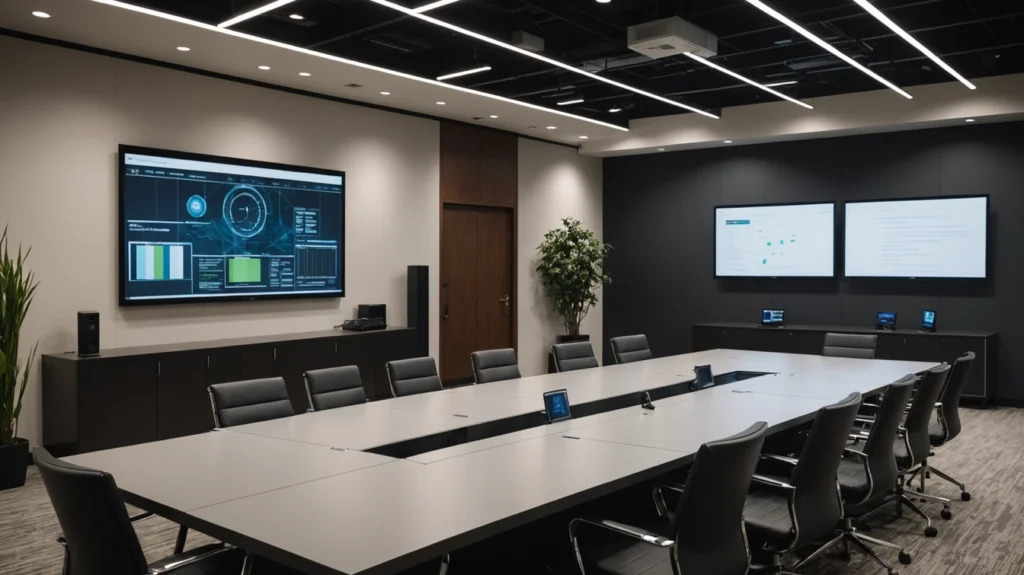
When it comes to outfitting your conference room, not just any gear will do. A sub-par audiovisual setup can lead to meetings that start late, participants who can’t hear or see clearly, and wasted time that could have been spent collaborating. The goal should be to balance quality, simplicity, and scalability, delivering a system that works reliably today, is easy to use, and grows with your organization. In this guide, we walk you step by step through how to choose the right AV gear for your conference room, covering everything from assessing space and usage to selecting displays, audio systems, cameras, connectivity, and control.
Assessing Your Space and Needs
Before you select equipment, it’s essential to understand the room and how it will be used. Consider the room size, shape, and how often it will be used. A small huddle space has different requirements than a boardroom designed for executive presentations or client meetings. Think about who will use the room and tailor the technology to meet their needs, whether it’s internal team collaboration, client presentations, or hybrid meetings that include remote participants. Integration with existing systems is also critical. Consider the unified communications platforms your organization uses and how your new AV gear will work with existing displays, audio systems, and network infrastructure. Finally, plan for future growth. Consider whether the room setup might need to expand or be replicated across multiple locations, ensuring your investment remains valuable over time.
Displays and Visuals
Visual clarity is the foundation of a good conference room experience. Choosing between flat panels and projection systems depends on the room size and usage. Flat-panel displays are generally preferred in modern spaces because they provide bright, crisp images and require minimal maintenance. Projection systems may still be appropriate in very large rooms or auditoriums. Screen size should be based on viewing distance. A common guideline is that screen width should be approximately one-fourth of the distance to the farthest viewer, although exact sizing depends on room layout and participant needs. Resolution and brightness are equally important, particularly for hybrid rooms with remote participants. High-definition displays, preferably 4K or at least 1080p, ensure content is readable and meetings run smoothly. Finally, mounting considerations matter for both aesthetics and functionality. Wall-mounts, ceiling-mounted systems, and motorized lifts can help create a clean, professional look while maximizing visibility for all participants.
Audio Systems
Audio quality can make or break a meeting. Microphone options include ceiling arrays, tabletop units, or beamforming solutions, each offering unique benefits for coverage and clarity. Proper speaker placement is essential to ensure that everyone in the room hears clearly, and remote participants can follow the conversation without difficulty. Acoustic challenges, such as echo and reverberation, are common in rooms with hard surfaces. Acoustic panels, ceiling tiles, carpeting, and careful speaker and microphone tuning help mitigate these issues. Integrating audio with conferencing platforms ensures that speech is captured clearly and distributed evenly, creating a natural, conversational experience for all attendees.
Cameras and Video Capture
For hybrid meetings, the camera experience is just as important as audio. Auto-framing and speaker-tracking cameras allow remote participants to see who is speaking and feel more engaged. Camera placement and field of view must cover the entire table or seating area while avoiding obstructions and blind spots. Wide-angle lenses help include all participants without distortion, and mounting cameras at eye level or just above the displays helps create a natural viewing perspective. Camera compatibility with your unified communications platforms, whether Teams, Zoom, or Webex, ensures seamless plug-and-play functionality and avoids frustrating technical delays.
Control Systems and Connectivity
Even the best AV equipment fails if it’s difficult to use or unreliable. One-touch control and automation simplify meeting start-up and reduce setup errors, allowing users to focus on collaboration rather than technology. Wired and wireless presentation options both have benefits; wired connections offer reliability, while wireless solutions provide flexibility for BYOD scenarios and guest presentations. Integration with room scheduling and IT systems streamlines booking, usage analytics, and remote monitoring, helping facilities teams maintain consistent performance and reduce downtime.
Why Teksetra Makes Equipment Selection Simple
Selecting AV gear doesn’t have to be overwhelming. Teksetra makes the process straightforward through a vendor-neutral approach that focuses on what works best for your space, usage, and budget. Our end-to-end service includes consultation, design, installation, programming, and ongoing support. This approach ensures consistency, reliability, and ease of use across single rooms or enterprise-wide deployments. Teksetra also offers ongoing support and lifecycle management, so your AV investment continues to perform efficiently over time. By considering future needs and standardizing solutions, your meeting spaces can remain productive, flexible, and ready for any collaboration scenario.
Hybrid work is here to stay, and your conference rooms should support it fully. Choosing the right AV equipment ensures that meetings run smoothly, teams stay connected, and every participant, whether in-room or remote, can contribute effectively.
Ready to upgrade your conference room technology? Talk to Teksetra’s AV experts today and let us help you design a space that balances quality, simplicity, and scalability—ensuring your meeting spaces meet the demands of today and tomorrow.


